
 Join our Discord
# Unexis Shops – Modern QBCore | QBox Shop System 🛒
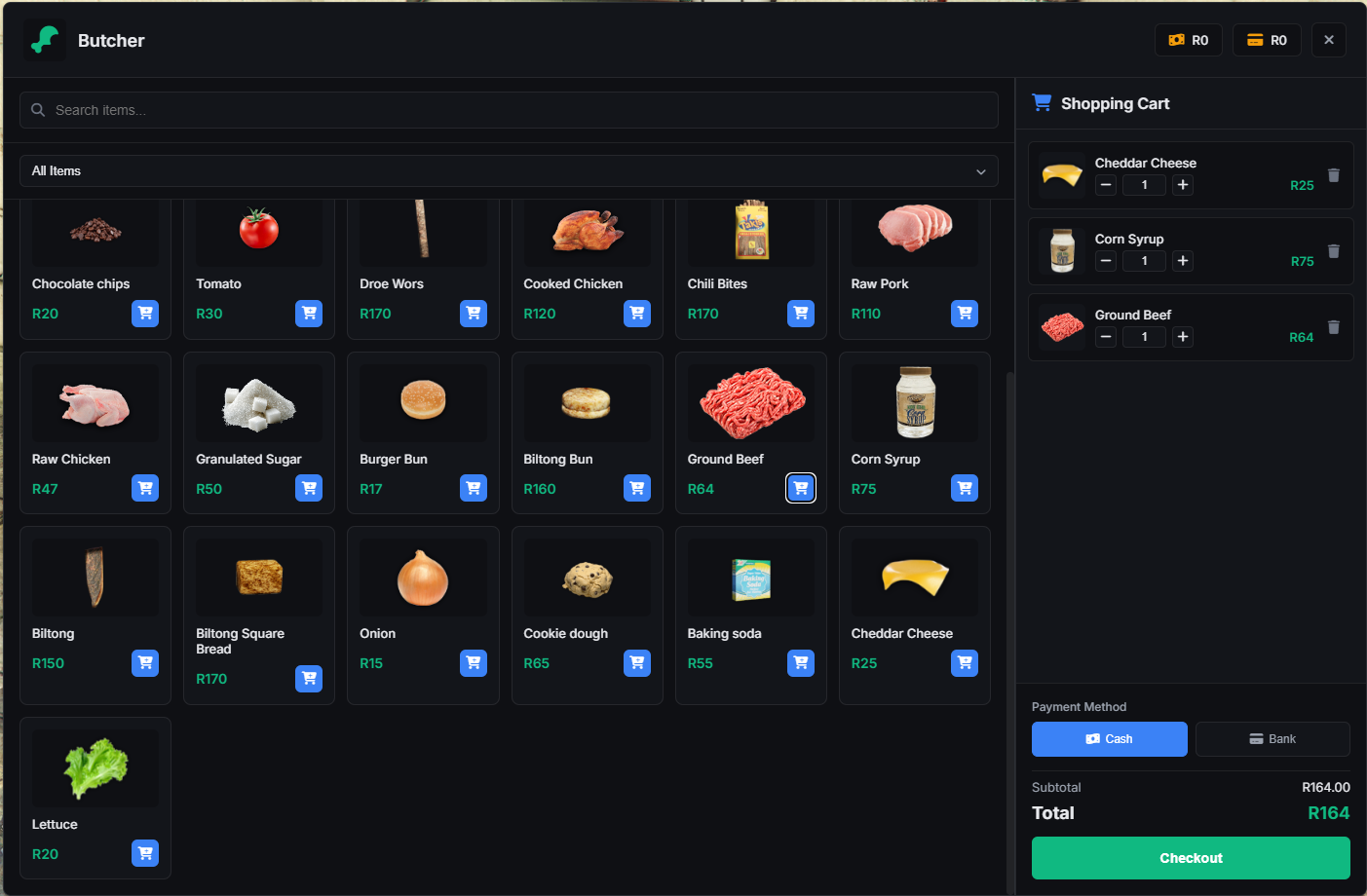
Unexis Shops is a polished and performant shop system for FiveM built for QBCore|QBox. It provides a fast NUI experience with categories and search, flexible configuration, per-shop blips and access control, vending-machine interactions, and robust server-side validation.
## Features ✨
- Built for QBCore|QBox
- qb-target|ox_target interactions: Consistent ped and model targeting across shops and vending machines
- Modern NUI: Category tabs, item grid, search, quick quantity selection, and toast feedback
- Flexible payments: Cash and bank, with clear error states and messages
- Inventory compatible: Works out-of-the-box with qb-inventory, codem-inventory,ox_inventory
- Per-shop blips: Toggle blips per shop with sprite, color, scale, and display
- Job-restricted shops: Gate shops by job and minimum grade (client+server enforced)
- Ped scenarios: Ambient ped animations per location, including a RANDOM mode
- Configurable UI behavior: Aggressive input locking and function-key blocking while NUI is open
- Vending machine integration: Target world models to open dedicated micro-shops (coffee, water, snacks, soda)
- Image resolution helpers: NUI image search falls back across common inventories
- Robust server validation: Checks money, amount limits, and gracefully rolls back items if payment fails
### Scalability and Limits 🚀
There is no hard-coded limit to how many shops, categories, items, or locations you can define:
- Add as many shops as you want by extending `Config.Shops` with new keys.
- Each shop can have any number of categories and items.
- Each shop can have any number of locations (peds) across the map.
Performance tips:
- Prefer reusing ped models across shops where possible (models are cached by the game).
- Keep `Config.UseBlips = true` only when you want map markers; per-shop `blip.enabled = false` hides them.
- Large shops with hundreds of items work, but UI search/filtering is faster if you keep categories focused.
- Vending machines are lightweight—feel free to attach them to many world models; qb-target handles range culling.
## Supported Inventories 🎒
- qb-inventory
- codem-inventory
- ox_invetory
## Dependencies 🧩
- QBCore|QBox framework
- qb-target | ox_target
- Optional: ox_lib (only if using NotificationType = 'ox_lib') But Script uses its own built-in notification system
- codem-inventory | qb-inventory | ox_inventory
VIDEO : https://youtu.be/pMxe_eJJVzY